
Email Signatures for Outlook
EnterpriseWith the oneVcard Outlook email signature integration, you can automatically provide email signatures to your users.
Setup in oneVcard
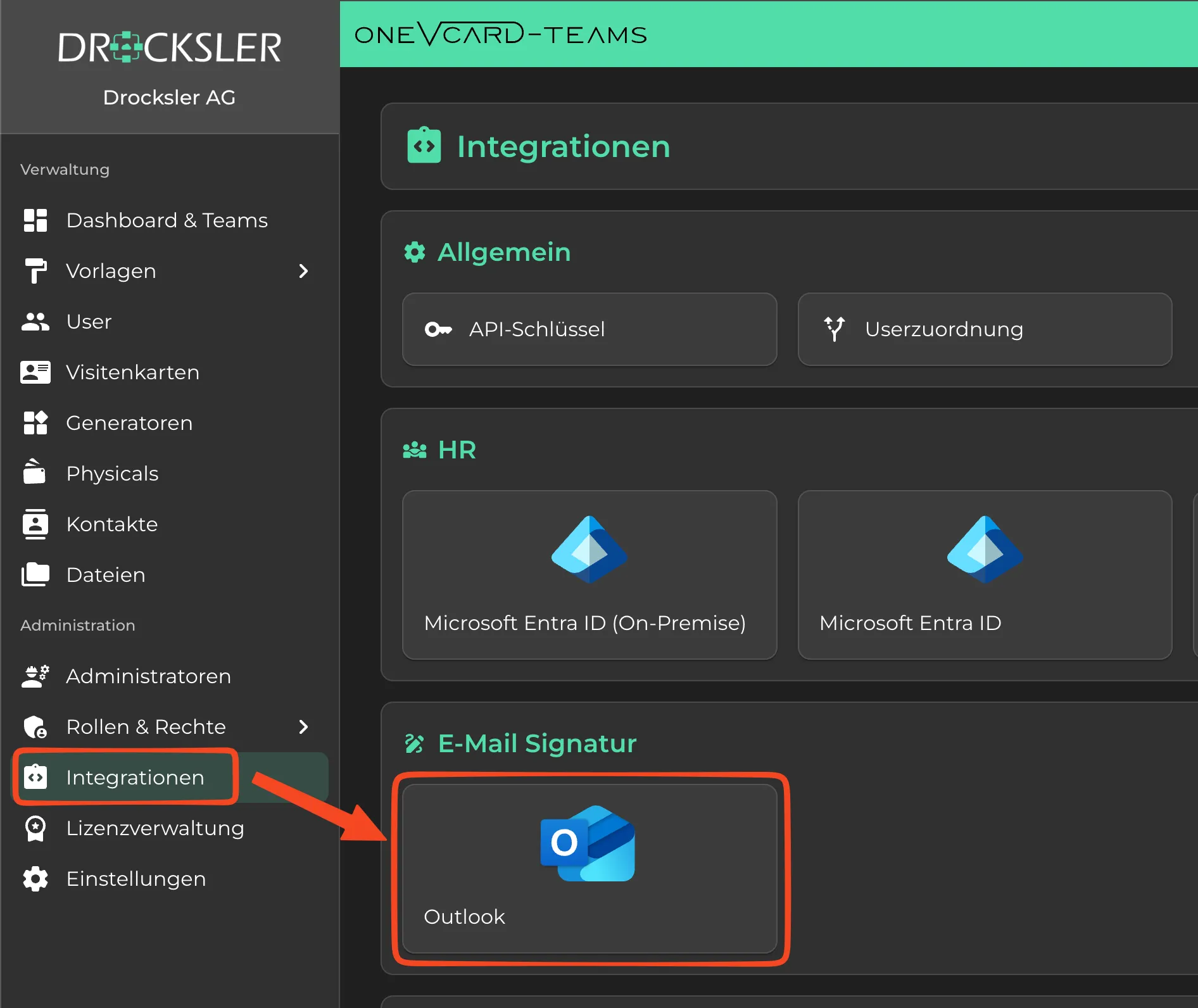
Navigate to Integrations within your organization and click on “Outlook” in the Email Signature section.
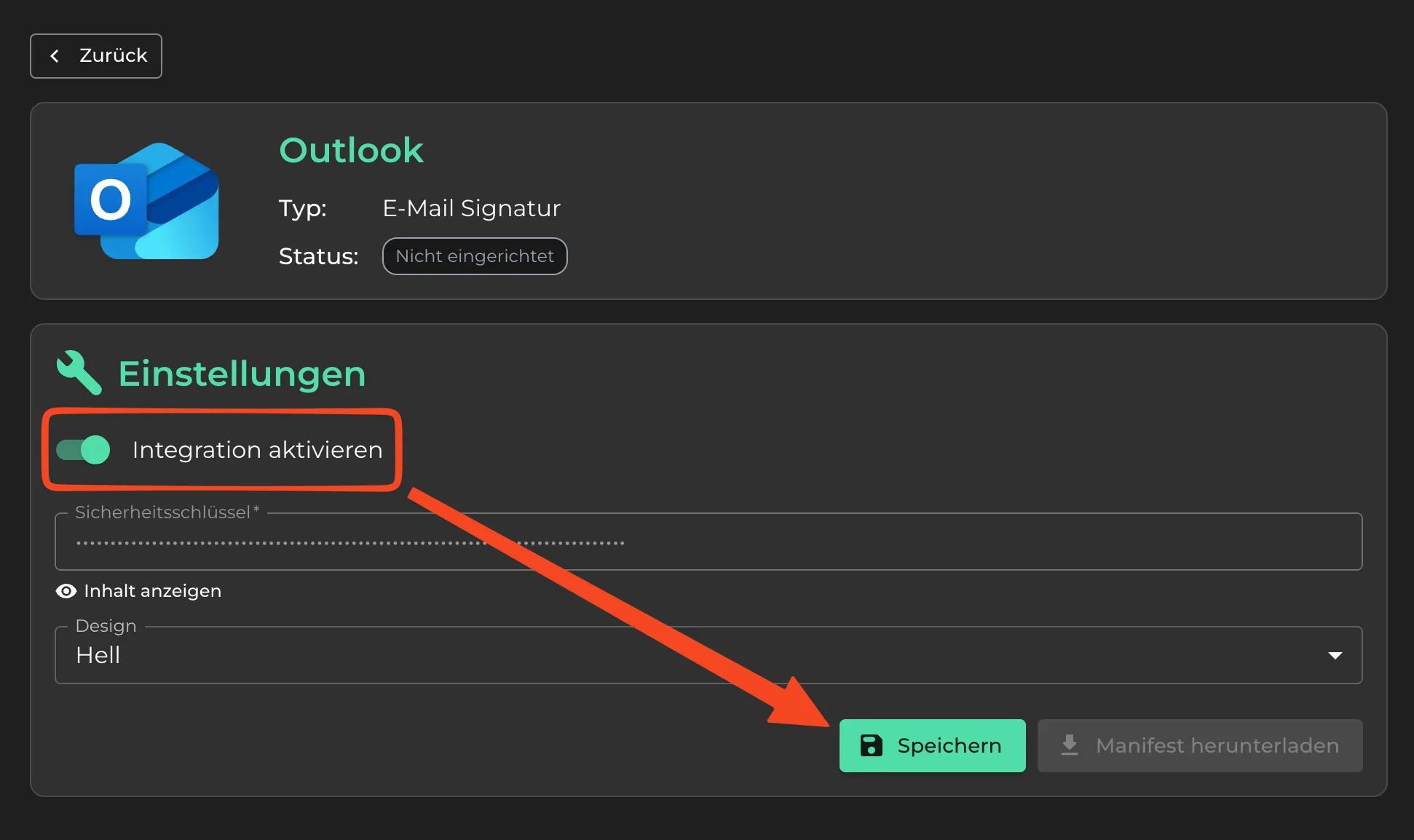
Enable the integration and click “Save”.
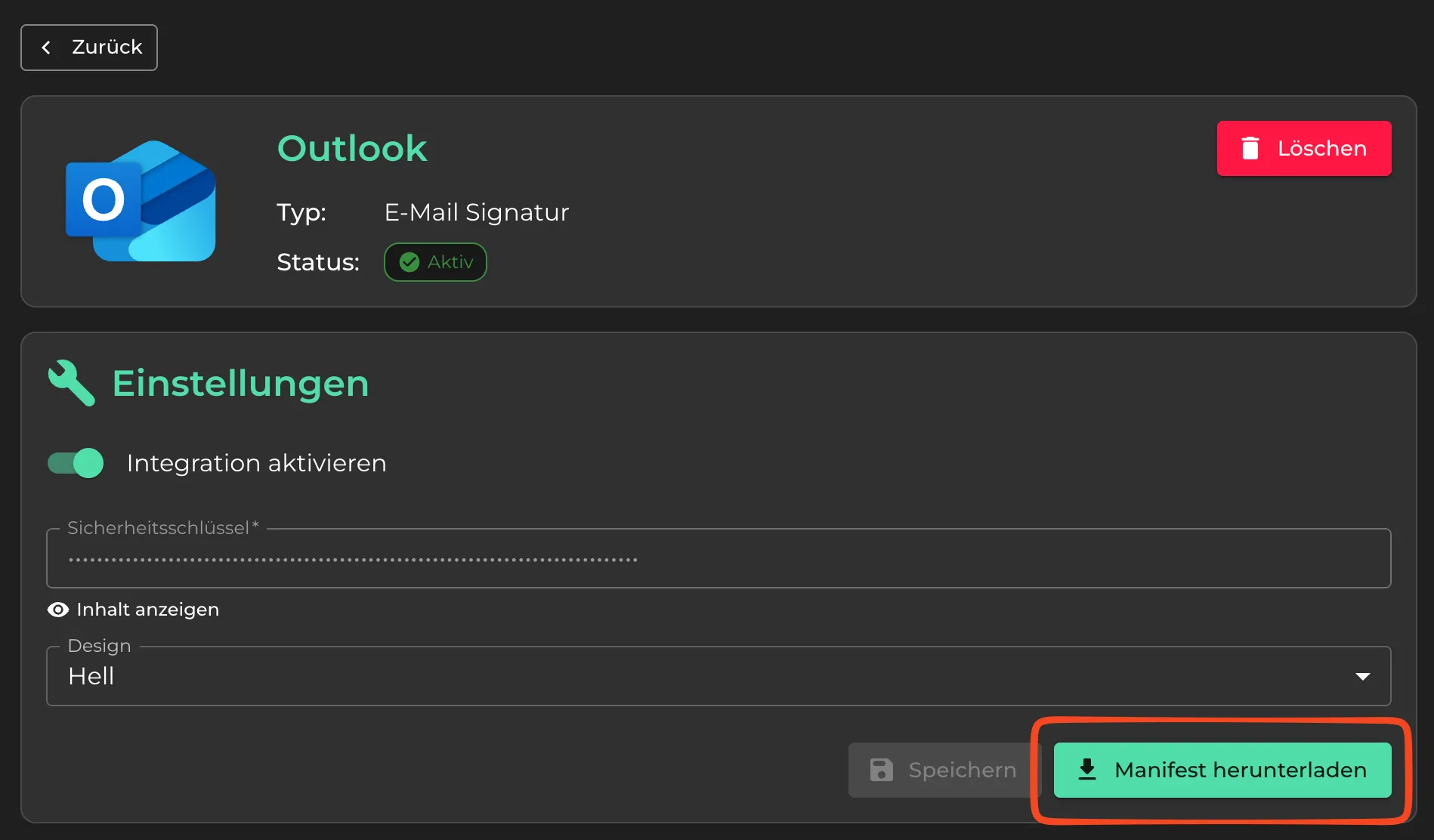
You can now download the Manifest.xml file via the “Download manifest” button, which is required for installation in Outlook.
Setup in Microsoft / Outlook
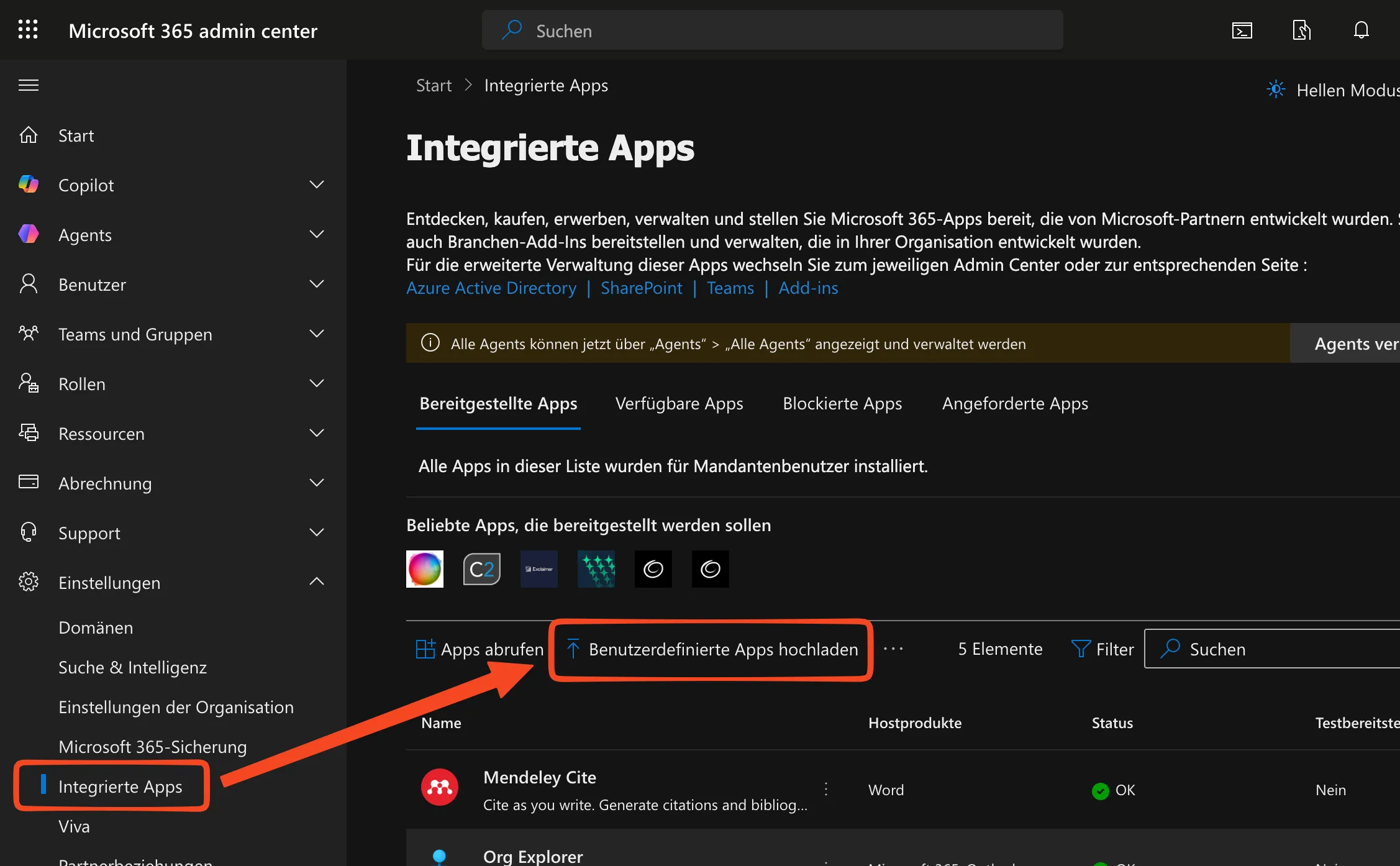
Open the Microsoft 365 admin center via the following link: https://admin.cloud.microsoft/?#/Settings/IntegratedApps and click on “Upload custom apps”.
For “App type”, select “Office Add-in” and upload the previously downloaded file from oneVcard using the option “Upload manifest file (.xml) from device”.
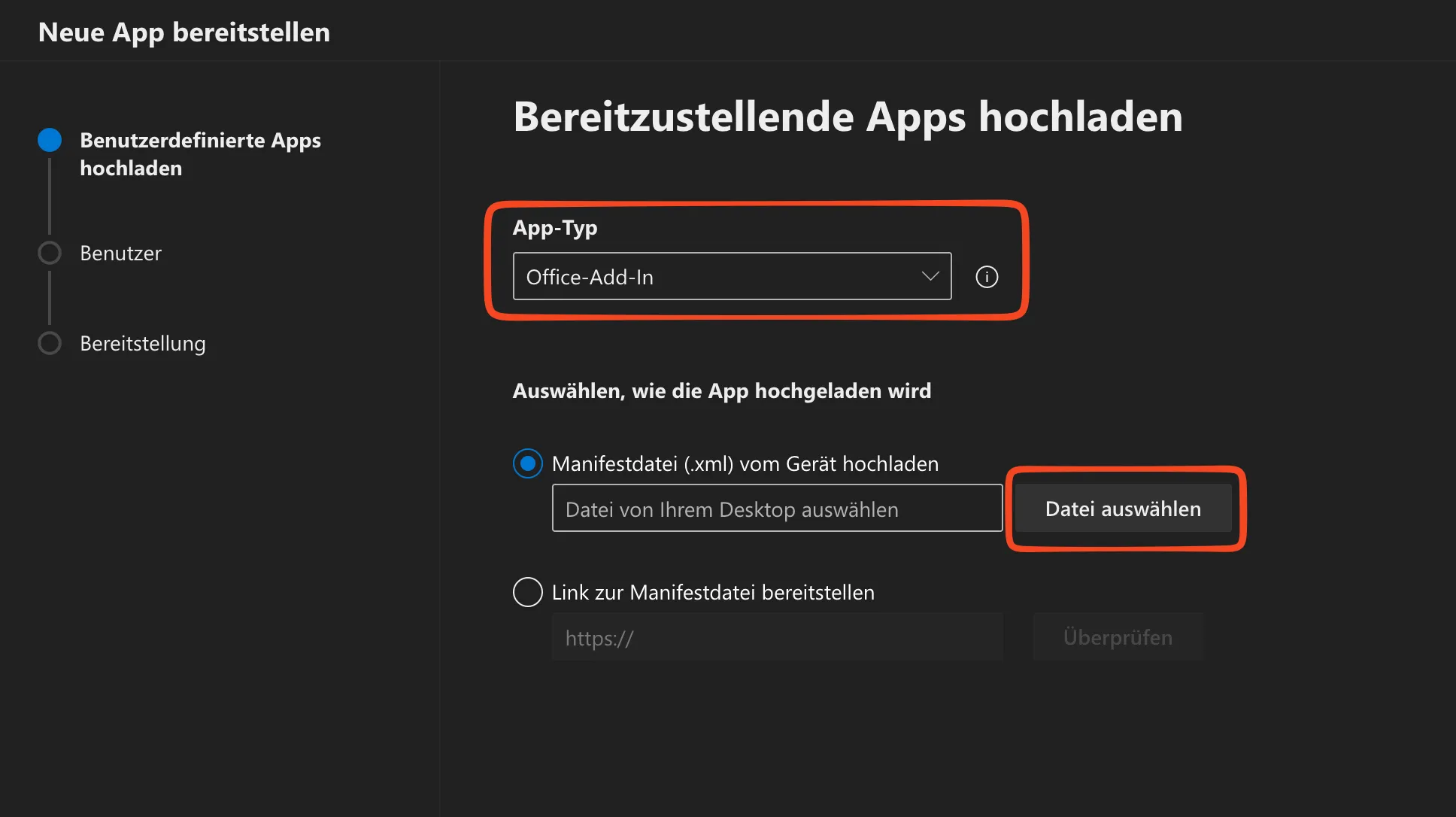
Click “Next”, select the users/groups who should have access to the add-in, and complete the deployment.
Signature Deployment
To assign signatures to users, rules must be configured. More information can be found under Rules.